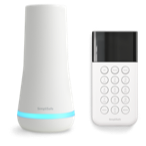


Below are three types of Panic Button errors you may come across while installing or using your DIY security system. Please tick through these steps to ensure that you've covered all potential troubleshooting steps. If these steps do not solve the problem call us at 1-888-957-4675 or contact us online.
1) Panic Button Programming: Occasionally Panic Buttons are not properly programmed in your system. Please check the to see that your Panic Button's sensor number is found in your component list. To do so follow the steps below.
a) Press Menu on your Keypad and navigate to Option 4 "Remove Components"
b) Look for your Panic button(s). Check to ensure that the serial number(s) match those on your Panic Button(s).
c) If the sensor # is incorrect press enter (the away button) to select the sensor and remove it.
d) You can add the correct Panic Button sensor number with Option 3 in the menu system
2) Battery Misalignment: If your Panic Button is properly programmed and you are still seeing an error it may be that pulling the battery activation tab (that white strip you removed when you installed the sensor) dislodged the Panic Button battery, weakening the battery's connection. To remedy this follow the steps below
a) Place your system in test mode (Keypad menu option 5) so that you did not trigger a panic alarm by accident.
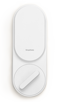
b) Remove the battery. You can remove the Panic Button from the wall by pushing up on it in the direction of the blue arrow on the side. Remove the battery by unscrewing the battery holder.
c) Replace the battery, screwing it in place tightly.
d) Hold the panic button down for 2-3 seconds to trigger it (make sure your system is in test mode first).
3) Panic Button Range: If you did not hear the system announce "Panic Button" in the above step, please try moving it closer to the Base Station and pressing it for 2-3 seconds. You should hear the system announce "Panic Button". If moving the panic button solves the issue, you may need to reposition your Panic Button. Sometimes just a slight adjustment to the left or right can reestablish connection between your Panic Button and the Base Station.