

Welcome to the SimpliSafe Help Center

Search for answers to your questions. If you don't find what you're looking for, please contact us or visit our customer support forums where you'll find plenty of helpful suggestions from other customers.

Questions and Answers:

  • Troubleshooting SimpliSafe
    Click here to access information about Troubleshooting SimpliSafe if you're having any issues with your do-it-yourself security system.
  • What is the Emergency Dispatch Service?
    SimpliSafe's emergency dispatch service partner is a nationally recognized alarm monitoring center with experienced professionals who know how to handle emergency situations. Every time your SimpliSafe burglar alarm siren goes off, it emits a loud 85 decibel noise. The System immediately contacts our professionally trained dispatchers, who do two things. First, they attempt to reach you and warn you. Second, they contact the police department and ensure help is on the way. The police are contacted even if our dispatchers are unable to reach you. This service must be activated and requires a subscription fee.
  • Am I responsible for false alarms? Are there any fines or consequences?
    Some local law enforcement agencies may require you to have an alarm permit and may charge fines for excessive false alarms. Please contact your local law enforcement agency for details (but please do NOT call 911 for this information). Let them know that you've installed your own DIY security system with central station monitoring.
  • Will I be charged long-distance or roaming charges when I test my SimpliSafe System or it reports an alarm?
    No, the SimpliSafe wireless security system uses its own toll free number and the cellular wireless service is included in your SimpliSafe Emergency Dispatch Service. There are no additional long distance or roaming charges for tests or emergencies.
  • How do I send a test signal?

    The easiest way to send a test signal to us is by putting your burglar alarm system in test mode:

    1. Press Menu on your Keypad
    2. When prompted, enter your PIN to enter the menu system
    3. Scroll right to option 5 by pressing the Home key
    4. Select option 5 by pressing the Away key
    5. You do not need to test your sensors at this time, unless you would like to. You may exit the menu by pressing Menu/cancel at any time

    Once you have sent a test signal, you should be able to see it in your account online (http://simplisafe.com/my-account). If there are any problems, the Base Station will announce them to you. Once we have received your test signal we can complete the process of activating your service.


  • Can I get a discount on my homeowner's or renter's insurance if I have SimpliSafe?

    Yes, most insurance carriers will provide you with a discount (typically 5-20%) for having a monitored do-it-yourself security system like SimpliSafe. To be eligible for this discount, you must be subscribed to the Emergency Dispatch Service.

    We can provide you with a certificate to show your insurance agent, stating that we are monitoring your home or business.

  • Can I use SimpliSafe without activating the SimpliSafe Emergency Dispatch Service?
    Yes, but we don’t recommend it. Without the Emergency Dispatch Service, only the burglar alarm siren will sound and no authorities will be called. The SimpliSafe Emergency Dispatch Service is easy to set up, can be charged to your credit or debit card, and canceled at any time.
  • How do I buy the Emergency Dispatch Service? Are there any contracts or minimum commitments?

    It's easy to activate your Emergency Dispatch Service. You can click here to activate (you will need the Serial # located on the bottom of your Base Station) or call us directly at 1-888-95-SIMPLI (957-4675).

    You can pay for the service each month by charging it to your credit or debit card.

    For complete SimpliSafe burglar alarm pricing on systems and services, visit get SimpliSafe.

    There are no long term commitments and you can cancel monitoring service at anytime for a refund on any unused service.

  • My system can't connect to the Emergency Dispatch Center. It keeps telling me "No link to Dispatcher"... what do I do?

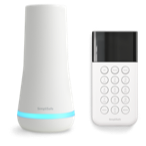
    If your SimpliSafe wireless security system cannot communicate with the Emergency Dispatch Center, it will let you know by announcing "No link to dispatcher" when you turn the alarm on and displaying "No link to dispatcher" on the Keypad. Also, the Base Station blue light will blink, indicating a warning.

    Take the following steps to correct this condition:

    1) Make sure you have activated your Emergency Dispatch Service online.

    2) Move the Base Station near a window for better reception or connect it to a landline.

    3) If you are using a landline, make sure the phone cord is securely connected to the wall jack and the Base Station, and that there are no other phones off the hook in your home. Also, if you need to dial "9" or another number to get an outside line, please add this dialing prefix using the Keypad menu (option 2) or Easy Setup Wizard (advanced options). If you do not need a dialing prefix, make sure none is set.

    4) Occasionally, our nationwide wireless provider does not activate an account right away. We are automatically notified when this problem happens and will contact the carrier to resolve it, which may take up to 24 hours.

    If the problem persists, please be sure to contact us.

  • What if I cancel my monthly service? Will my money be refunded?
    Unfortunately, we cannot refund unused service time. However, if returned within the 60 day money back guarantee period, we can refund the total purchase price of your wireless security system, but not the service time.